10 Best Chrome Extensions for Job Seekers to Autofill Applications
Save hours every week by automating repetitive form filling and tracking your applications effortlessly.
5 months ago - Updated 3 months ago

In the modern job market, the "numbers game" has become more demanding than ever. With the rise of Applicant Tracking Systems (ATS) and one-click application portals, the sheer volume of candidates has skyrocketed. For a job seeker in 2026, the challenge isn't just finding the right role on the best job search sites—it’s surviving the grueling process of filling out dozens, if not hundreds, of repetitive forms.
Every job seeker knows the frustration: you find a perfect role, click "Apply," and are immediately greeted by a Workday or Greenhouse portal that asks you to manually re-enter every single detail already present on your resume. This "application fatigue" is a primary cause of burnout, particularly if you are using bad resume examples that fail to impress recruiters. Fortunately, technology has caught up, and platforms like CareerBoom.ai now offer integrated solutions that handle everything from document tailoring to automated form filling.
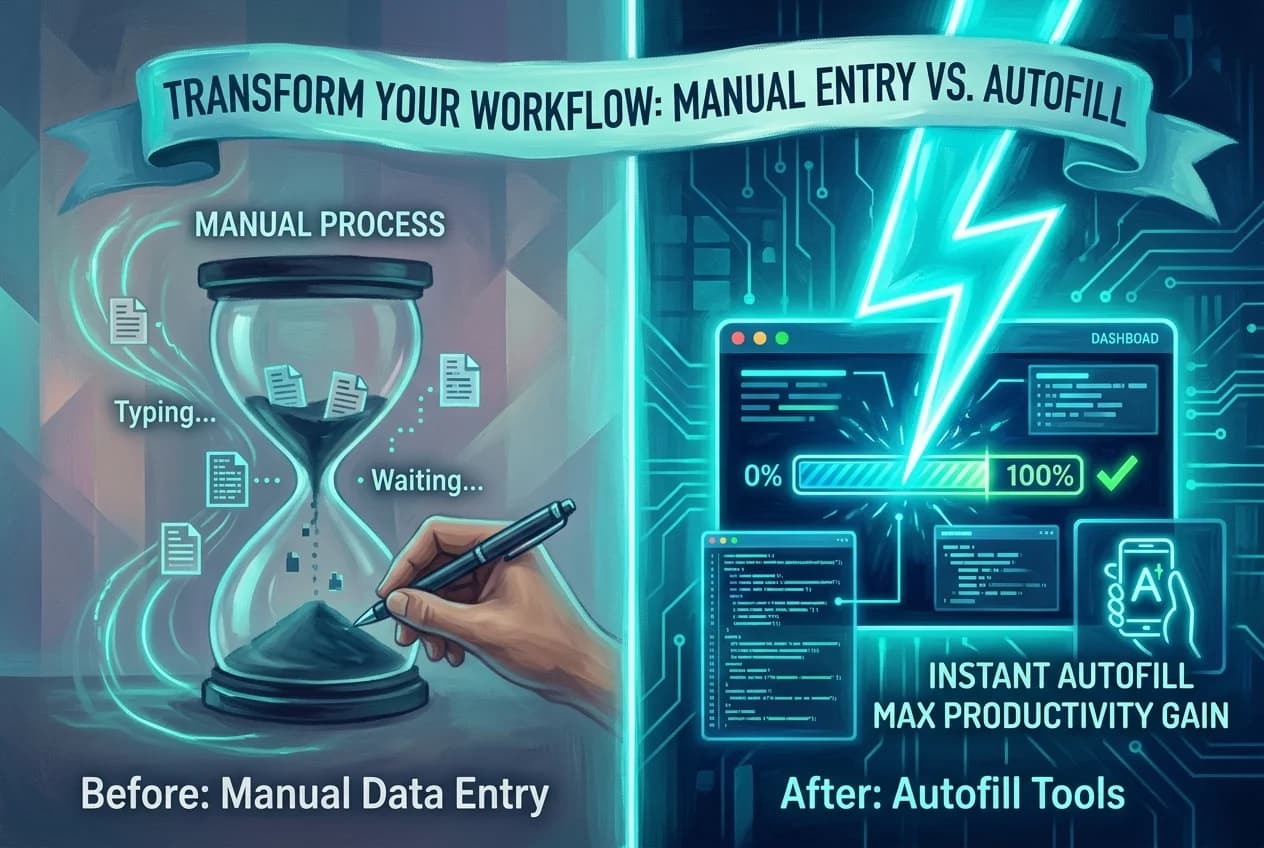
Using chrome extensions to autofill job applications has shifted from a "nice-to-have" hack to an essential strategy for productivity. These job search tools allow you to reclaim hours of your life every week, ensuring that your energy is spent on interviewing and networking rather than data entry.
In this comprehensive guide, we explore the 10 best Chrome extensions available today to automate your job search, with a deep dive into the industry leader that is changing the game with integrated AI.
1. Careerboom.ai: The All-in-One Powerhouse

When it comes to the most sophisticated and efficient way to autofill job applications, Careerboom.ai stands in a league of its own. While most extensions simply copy and paste your contact info, Careerboom.ai acts as a comprehensive career co-pilot.
Why It’s the Best Option
Careerboom.ai solves the three biggest headaches of the job search: repetitive forms, disorganized tracking, and the need for tailored documents. It is the only tool on this list that seamlessly integrates these three pillars into a single browser extension.
Key Features:
- Intelligent Autofill: Careerboom recognizes thousands of different application form fields. With one click, it populates your work history, education, skills, and social links accurately, even on notoriously difficult platforms like Workday.
- Automatic Resume & Cover Letter Tailoring: This is the "killer feature." When you click the autofill button, Careerboom.ai doesn't just use a generic resume. It analyzes the specific job description on the page and uses AI to automatically tailor your resume and cover letter to match the requirements.
- Seamless Attachment: Once the AI has optimized your documents for the specific role, the extension automatically attaches the newly generated PDF to the application form.
- Integrated Job Tracker: Forget manual spreadsheets. Careerboom automatically saves every job you apply for, including the job description, the date of application, and the specific version of the resume you used.
The Productivity Impact
By using Careerboom.ai, the time spent per application drops from 20 minutes to under 60 seconds. More importantly, because the tool tailors your documents for every single submission, your "apply-to-interview" conversion rate significantly increases.
Pro Tip: Use Careerboom.ai’s dashboard to see which versions of your tailored resume are getting the most hits. This data-driven approach allows you to refine your personal branding in real-time.
2. Simplify
Simplify has long been a favorite in the job-seeking community, primarily for its clean interface and wide compatibility with major job boards.
Overview
Simplify functions as a digital "common app" for jobs. You fill out your profile once on their platform, and the extension identifies fields on sites like Greenhouse, Lever, and Workday to fill them instantly.
Strengths:
- Massive Database: They support thousands of career sites.
- Community Insights: It often shows you how many other Simplify users have applied to the same role.
- Privacy Focused: They are transparent about how your data is used, which is a common concern with autofill tools.
Limitations:
While Simplify is excellent for speed, it lacks the deep AI integration found in Careerboom.ai. It does not automatically rewrite your resume for each specific job, meaning you still have to do the heavy lifting of tailoring your profile if you want to beat the ATS.
3. Teal
Teal is more than just an autofill tool; it is a comprehensive "Job Search Management" platform. Its Chrome extension is a central part of its ecosystem.
Overview
Teal’s extension is best known for its "Job Tracker." When you are browsing LinkedIn, Indeed, or any career site (using LinkedIn tips can help you optimize your profile first), a small Teal icon appears, allowing you to save the job to your "Job Tracker" board with one click.
Key Features:
- Job Description Analysis: It highlights the top keywords in a job posting so you know what to include in your resume.
- Basic Autofill: It offers a "Personal Method" for filling out forms, though it is slightly less automated than specialized autofill tools.
- Email Tracking: It helps you manage follow-ups after you’ve applied.
Best For:
Job seekers who are highly organized and want a "CRM-style" view of their job search. However, if your primary goal is the automated generation of tailored resumes during the autofill process, you may find yourself needing to pair Teal with another tool.
4. LazyApply

If your strategy is high-volume "shotgunning" of applications, a strategy sometimes called rage applying, LazyApply is designed for you.
Overview
LazyApply is built for speed. It features a "Job Buddy" AI that can apply to hundreds of jobs on your behalf on platforms like LinkedIn and Indeed with minimal intervention.
Key Features:
- Automated Applying: It can literally click through the "Next" buttons on LinkedIn Easy Apply for you.
- Daily Application Limits: To prevent your accounts from being flagged as bots, it allows you to set limits on how many jobs it applies to daily.
- Keyword Filtering: You can set rules so it only applies to jobs containing specific titles or salary ranges.
The Trade-off:
LazyApply is a "quantity over quality" tool. While it is great for productivity, it doesn't offer the nuanced tailoring that Careerboom.ai provides. Use this if you are in a field where volume is more important than a highly customized approach.
5. EarnBetter
EarnBetter is a newer entrant that focuses heavily on the AI-driven aspect of the job search, specifically for those looking to level up their career.
Overview
EarnBetter provides a free AI-powered assistant that helps you reformat your resume and then uses that data to help you apply for jobs faster.
Key Features:
- Instant Resume Reformatting: It takes your old resume and turns it into a professional, ATS-friendly design.
- Job Matching: It suggests roles based on your uploaded resume.
- Form Filling: It assists in filling out basic contact and experience fields.
Why it’s on the list:
It is a great tool for those who are starting from scratch and need a professional resume format before they start the autofill job applications process.
6. Jobalope
Jobalope focuses on the "research" phase of the application, ensuring that when you do autofill, you are doing it with the right information.
Overview
Jobalope’s extension adds a layer of company data over job postings. It helps you see company ratings, salary data, and "red flags" before you waste time applying.
Key Features:
- Company Insights: Pulls data from multiple sources to give you a "vibe check" on the employer.
- Resume Keywords: Suggests which words to add to your form fields to pass the initial screening.
- Basic Data Storage: Stores your common answers (like your LinkedIn URL or portfolio link) for easy copy-pasting.
Best For:
The cautious job seeker who wants to vet companies thoroughly before hitting "Submit."
7. Sonara
Sonara is an "AI Job Search Agent" that aims to automate the entire process from finding the job to submitting the application.
Overview
Unlike a standard extension that waits for you to find a job, Sonara actively searches for roles that match your profile and can be set to apply automatically.
Key Features:
- Autonomous Search: It works in the background even when your browser is closed.
- Auto-Fill Integration: When it finds a match, it uses your profile data to complete the application.
- Interview Scheduling: Some versions of the tool attempt to help coordinate the first touchpoint with recruiters.
Considerations:
Sonara often requires a subscription for its most powerful features. It’s a "hands-off" tool, which can be risky if you want to ensure every application is perfectly tailored.
8. Loop CV
Loop CV is marketed as the first "job search automation platform" that helps you scale your outreach.
Overview
Loop CV is particularly popular among freelancers and contract workers who need to apply to a high volume of roles constantly.
Key Features:
- Upload Multiple Resumes: You can have different versions of your resume for different job titles.
- Automatic Emailing: If a job posting doesn't have a form but lists an email, Loop CV can automatically send your tailored cover letter.
- Performance Tracking: It provides a dashboard showing which of your "loops" (automation sequences) are yielding the most interviews.
Best For:
Contractors and those looking for remote jobs websites where the competition is global and speed is paramount.
9. WonsultingAI (ResumAI)
The team at Wonsulting AI has built a suite of tools designed to "turn underdogs into winners." Their extension focuses heavily on the content of your application.
Overview
The extension integrates with their ResumAI and AutoApply tools to help users fill out forms with high-impact bullet points.
Key Features:
- Bullet Point Generator: If an application form asks for a "Description of Duties," the tool generates high-quality, metric-driven bullet points on the fly. Since a weak resume skills section can hurt your chances, this is a vital feature.
- Network Integration: It helps you find people to network with at the company you are currently applying to, which is a key part of a stealth job search.
- Autofill Support: Supports the standard array of ATS platforms.
Best For:
Early-career professionals who struggle with how to phrase their accomplishments within the application form.
10. Huntr
Huntr is primarily known as a "Job Search Tracker," but its Chrome extension has evolved to include powerful features for the application phase.
Overview
Huntr allows you to "collect" jobs from across the web. Its extension is one of the most stable and well-designed on the market.
Key Features:
- Web Scraper: It can pull job details from almost any site, even obscure company career pages.
- Map View: Shows you where your applied jobs are located geographically (great for hybrid/on-site roles).
- Contact Management: Saves the names of recruiters and hiring managers associated with the job post.
Autofill Capabilities:
While its autofill is more manual (requiring you to click and drag or select from a list), it is incredibly reliable and ensures that the data is mapped correctly 100% of the time.
Comparison Table: Top 10 Job Search Extensions
| Extension | Best For | Key Feature | AI Tailoring? |
|---|---|---|---|
| Careerboom.ai | Overall Best | Autofill + AI Resume Tailoring | Yes (Advanced) |
| Simplify | Speed | Wide ATS compatibility | No |
| Teal | Management | Job Tracker & CRM | Basic |
| LazyApply | Volume | Bulk "Auto-apply" | No |
| EarnBetter | Design | Resume Reformatter | Yes |
| Jobalope | Research | Company "Red Flags" | No |
| Sonara | Automation | Autonomous Search Agent | Yes |
| Loop CV | Contractors | Email & Form Automation | No |
| WonsultingAI | Content | Bullet Point Generator | Yes |
| Huntr | Tracking | Geographic/Contact Mapping | No |
Why Careerboom.ai is the Game Changer in 2026
While the list above contains excellent job search tools, the integration of AI has created a clear divide between "legacy" autofill tools and "next-gen" career assistants.
In 2026, simply filling out a form isn't enough. Recruiters are using AI to screen applications, which means your "standard" resume—no matter how quickly it was autofilled—might be filtered out if it doesn't contain the specific nuances of the job description.
The Careerboom.ai Workflow:
- Navigate: You find a job on LinkedIn, Indeed, or a company site.
- Activate: You click the Careerboom extension.
- Tailor: The AI reads the job description and your master profile. It instantly creates a version of your resume that highlights the most relevant skills for that specific job.
- Autofill: The extension fills the form fields (Name, Address, Work History).
- Attach: It generates the tailored PDF and attaches it to the "Upload Resume" field automatically.
- Track: Once you hit submit, the job is saved to your dashboard for future follow-up.
This level of productivity was unthinkable just a few years ago. It allows a job seeker to apply to 10 high-quality, perfectly tailored roles in the time it used to take to apply to one.
How to Maximize Productivity with Chrome Extensions
Using these tools is a great start, but to truly transform your job search, you need a strategy. Here is how to use chrome extensions to their full potential:
1. Centralize Your Data
Before installing an extension, ensure your "Master Resume" is perfect. These tools are only as good as the data you give them. Using a professional AI builder like CareerBoom.ai ensures your base profile is comprehensive and ATS-optimized, including every project, every skill, and every metric you’ve ever achieved. Let the AI decide which parts of that master data are relevant for a specific job.
2. Audit the Autofill
Even the best job search tools can occasionally misinterpret a form field—especially on custom-built company portals. Always do a "30-second scan" of the filled form before hitting submit. Check for:
- Date formats (MM/DD/YYYY vs DD/MM/YYYY).
- Salary expectations (ensure the tool didn't put your current salary in the "desired" box).
- Correct phone number formatting.
3. Use "Stealth Mode"
If you are currently employed, be careful with extensions that "auto-share" your activity or update your LinkedIn profile publicly. Tools like Careerboom.ai and Teal are excellent because they operate privately, keeping your job search between you and the potential employer.
4. Leverage the "Save for Later" Feature
Don't apply the second you see a job. Use your extension's "Save" feature to build a list of 10-20 roles. Then, set aside a specific block of time (e.g., Tuesday morning) to go through and "Batch Apply." This keeps you in the "flow state" and makes you much more efficient.
The Security Aspect: Is Your Data Safe?
When you use an extension to autofill job applications, you are giving that software access to sensitive information: your address, phone number, work history, and sometimes even your social security number or diversity data.
What to Look For:
- Data Encryption: Ensure the tool uses industry-standard encryption.
- Privacy Policy: Read how they handle your data. Do they sell it to third-party recruiters? (Top-tier tools like Careerboom.ai and Simplify do not).
- Permissions: A Chrome extension should only ask for permissions "on the sites you visit" if it needs to fill forms there. Be wary of extensions that ask for access to your entire browser history or passwords.
The ROI of Automating Your Job Search
Let’s look at the math.
- Manual Application: 20 minutes (finding info, tailoring the resume manually, uploading, tracking in Excel).
- Automated Application (with Careerboom.ai): 1 minute.
If you apply to 20 jobs a week:
- Manual: 400 minutes (6.6 hours).
- Automated: 20 minutes.
You are saving over 6 hours a week. In a month, that is 24 hours—a full day of your life—reclaimed. You can use that time for:
- Interview Prep: Researching the hiring manager and practicing your "Tell me about yourself" pitch.
- Networking: Reaching out to current employees at the company for a referral.
- Skill Building: Taking a course to close a gap in your resume.
- Rest: Preventing the burnout that leads to poor interview performance.
Final Thoughts: The Future of Job Seeking
The job search landscape in 2026 is hyper-competitive, but it is also hyper-efficient for those who know how to use the right tools. The shift from manual entry to AI-assisted application is not just a trend; it is the new standard.
If you are looking to maximize your productivity, start by installing a high-quality chrome extension today. While there are many options like Simplify and Teal that offer great utility, Careerboom.ai provides the most complete solution by combining autofill job applications with the power of AI-driven document tailoring. You might even wonder, "do I really need a cover letter?" in this automated age, but these tools ensure you have one ready when it matters.
Stop wasting your evenings on repetitive forms. Automate the busy work, tailor your approach, and focus on what really matters: landing the job that takes your career to the next level.
Frequently Asked Questions
Quick answers to common questions
Careerboom.ai is the top choice because it combines intelligent autofill with AI-driven resume tailoring. While tools like Simplify are great for speed, Careerboom ensures your application is optimized for the specific job description to beat ATS filters.
Yes, reputable tools like Careerboom.ai and Simplify use industry-standard encryption. However, you should always:
- Review the privacy policy.
- Check for data encryption standards.
- Ensure they don't sell your personal data to third-party recruiters.
Most top-tier extensions are designed to handle complex Applicant Tracking Systems (ATS). Careerboom.ai and Simplify have high compatibility with major portals, including:
- Workday
- Greenhouse
- Lever
- LinkedIn Easy Apply
Most basic extensions only copy-paste data, but Careerboom.ai is a "next-gen" tool that uses AI to automatically rewrite your resume and cover letter to match keywords in the job posting before filling out the form and attaching the PDF.
Standard autofill tools are generally safe. However, high-volume tools like LazyApply should be used with caution. It is best to set daily application limits to avoid being flagged as a bot by platforms like LinkedIn or Indeed.
A manual application typically takes 20 minutes. With an extension like Careerboom.ai, it takes under 60 seconds. This can save you over 6 hours per week if you apply to 20 jobs, allowing more time for networking and interview prep.
Yes. Even the best AI can occasionally misinterpret a custom form field. You should always perform a 30-second audit to check:
- Salary expectations
- Date formats (MM/DD/YYYY)
- Contact information accuracy
Was this article helpful?
Table of Contents
1. Careerboom.ai: The All-in-One Powerhouse
2. Simplify
3. Teal
4. LazyApply
5. EarnBetter
6. Jobalope
7. Sonara
8. Loop CV
9. WonsultingAI (ResumAI)
10. Huntr
Comparison Table: Top 10 Job Search Extensions
Why Careerboom.ai is the Game Changer in 2026
How to Maximize Productivity with Chrome Extensions
The Security Aspect: Is Your Data Safe?
The ROI of Automating Your Job Search
Final Thoughts: The Future of Job Seeking
1Which Chrome extension is best for autofilling job applications?
2Are job application autofill extensions safe to use?
3Do these extensions work on platforms like Workday and Greenhouse?
4Can an autofill extension also tailor my resume for each job?
5Will using an automated job application tool get me banned from job boards?
6How much time can I save by using a job search extension?
7Should I manually review applications after using an autofill tool?
Share this article
Other articles

10 Best Job Trackers to Organize Your Search in 2026
Streamline your job hunt with the top Chrome extensions and platforms designed to track applications effortlessly.

10 Best AI Resume Builders in 2026: Ranked and Reviewed
Navigate the future of job hunting with our definitive guide to the top-rated AI resume creation tools available this year.
Bad Resume Examples: What NOT to Do in 2026 (And How to Fix It)
Avoid the resume mistakes that get you auto-rejected. See real examples of bad formats versus modern, ATS-friendly layouts.