Your Essential Remote Job Interview Day Checklist: Don't Miss a Step!
Master your remote job interview! Get career advice and ensure employability for work from home jobs.
3 months ago - Updated 4 days ago
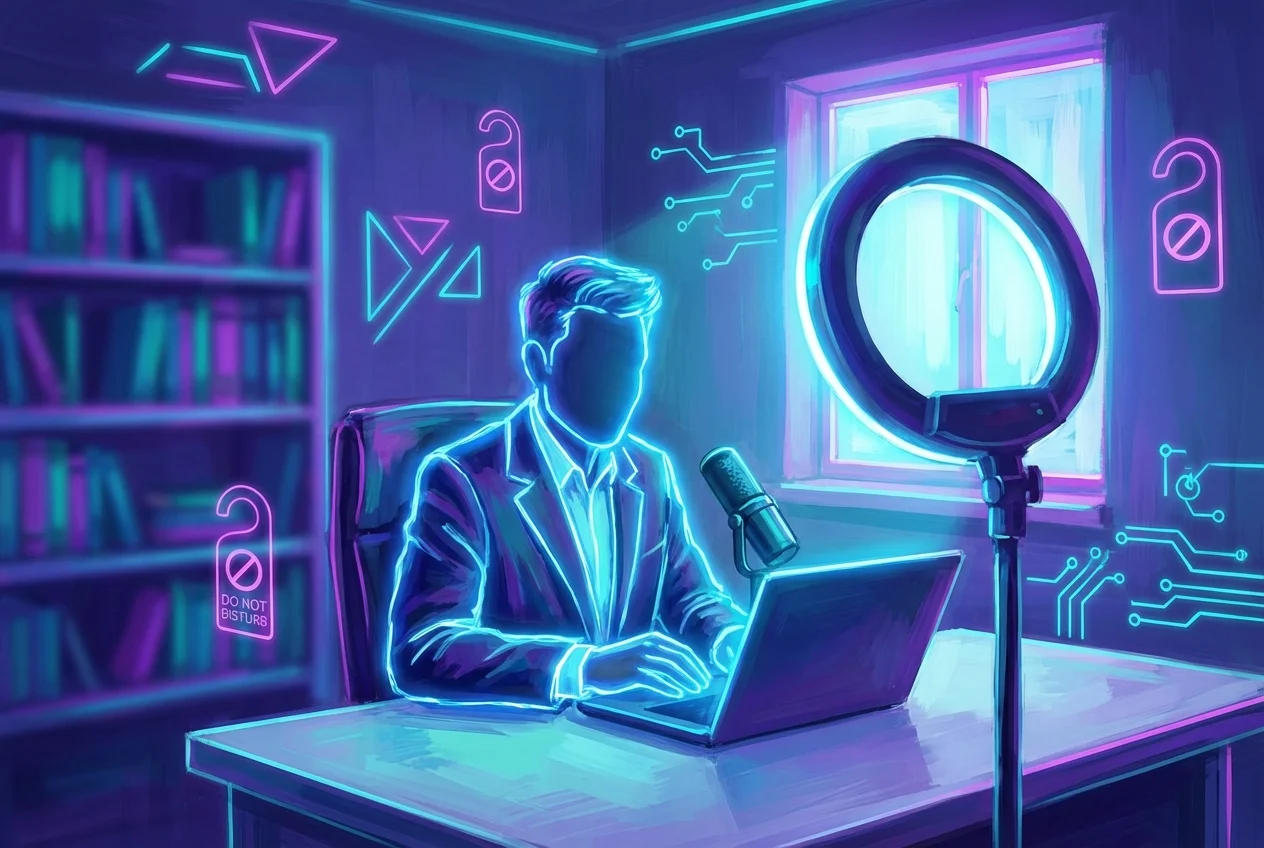
Remote job interviews have become a cornerstone of modern recruitment, offering unparalleled flexibility for both companies and candidates. However, this convenience comes with its own set of unique challenges. Unlike traditional in-person interviews where a firm handshake and confident stride set the tone, a virtual setting demands meticulous preparation to ensure every technical, environmental, and personal detail aligns for success. To truly ace your remote job interview, your screen becomes your stage, and every element within its frame contributes to the impression you make. This comprehensive interview checklist is designed to be your ultimate guide to prepare for a job interview, ensuring you don't miss a single step on your virtual interview day and are fully equipped to shine.
Navigating a remote interview isn't just about answering questions; it's about demonstrating your professionalism, adaptability, and technical proficiency in a digital landscape. For more comprehensive virtual interviewing tips, each point on this checklist plays a critical role in your remote interview prep. From ensuring your internet connection is robust to understanding the nuances of virtual body language, each point on this checklist plays a critical role in your remote interview prep. By systematically addressing these elements, you can minimize stress, boost your confidence, and present your best self, ultimately increasing your chances of securing that coveted position.
The Technical Foundation: Ensuring Seamless Connectivity and Setup
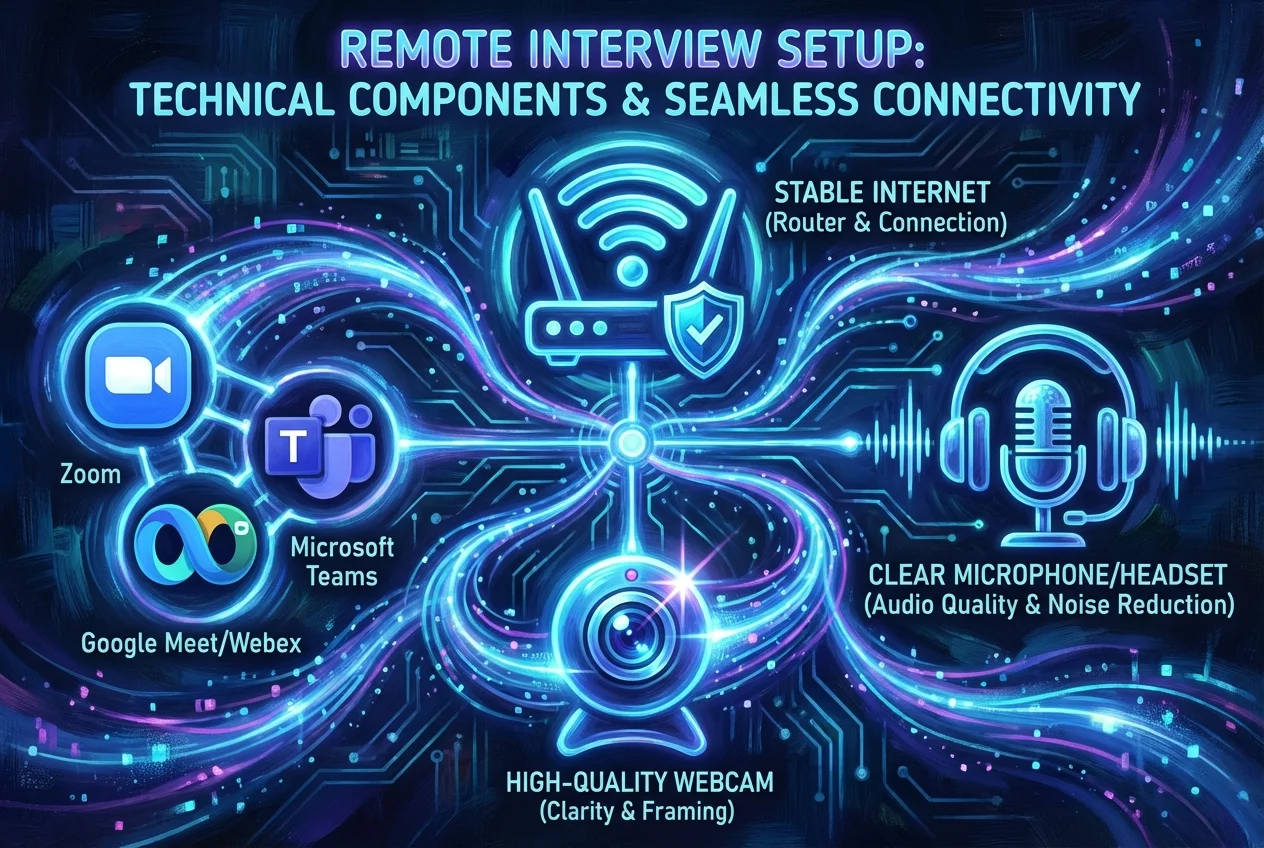
The backbone of any successful remote interview is a flawless technical setup. Even the most brilliant answers can be undermined by a choppy video feed or garbled audio. Prioritizing these technical checks is a crucial part of your pre-interview routine.
1. Internet Connection Check: Your Lifeline to the Interview
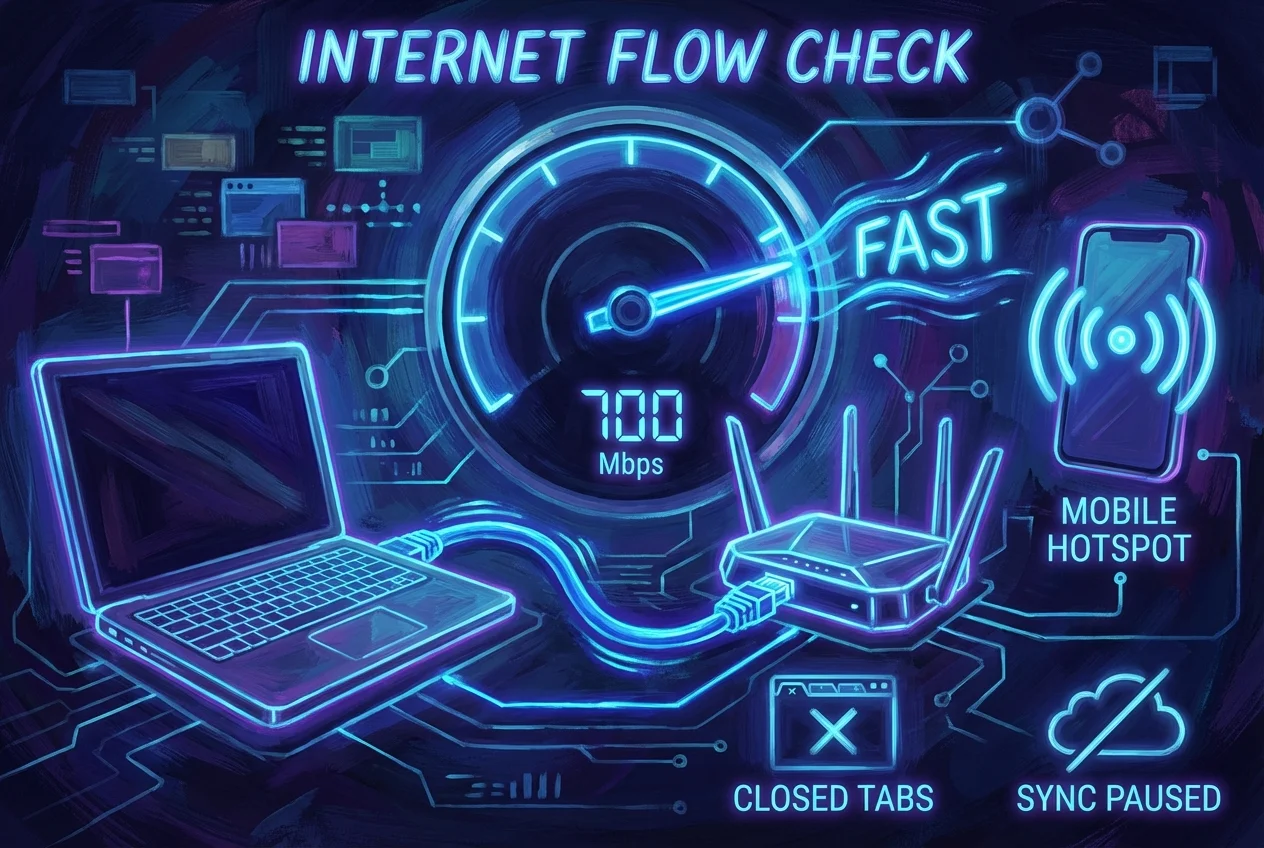
A stable and fast internet connection is non-negotiable. There's nothing more disruptive than your video freezing or your audio cutting out mid-sentence.
- Run a Speed Test: Before your interview day, run an internet speed test using a reliable online tool (e.g., Speedtest.net). Aim for at least 10-20 Mbps download and 3-5 Mbps upload for smooth video conferencing.
- Wired Connection Preferred: If possible, connect your computer directly to your router using an Ethernet cable. This provides a more stable and often faster connection than Wi-Fi, which can be prone to interference.
- Minimize Bandwidth Usage: Ask others in your household to avoid heavy internet activities (streaming, gaming, large downloads) during your interview time. Close unnecessary tabs and applications on your computer that might consume bandwidth.
- Backup Plan: Have a contingency plan. Know how to tether your laptop to your smartphone's mobile hotspot in case your primary internet connection fails. Ensure your phone has enough data and battery life.
2. Audio/Video Equipment Test: Hear and Be Heard Clearly
Your webcam and microphone are your primary tools for communication. Their clarity directly impacts how effectively you can convey your message and connect with your interviewer.
- Webcam Check:
- External vs. Built-in: While built-in laptop cameras are convenient, an external webcam often offers superior video quality. If you have one, test it thoroughly.
- Positioning: Position your webcam at eye level. This creates a more natural and engaging interaction, simulating an in-person conversation. Stack books or use a monitor stand if needed.
- Clean the Lens: A smudged lens can significantly degrade video quality. Give it a quick wipe with a microfiber cloth.
- Microphone Test:
- Headset with Mic: A headset with a boom microphone is often the best choice for remote interviews. It minimizes background noise and ensures your voice is clear and consistent.
- Built-in Mic: If using your laptop's built-in microphone, ensure you are in a quiet room and speak clearly.
- Echo Cancellation: Familiarize yourself with your conferencing software's audio settings, especially any echo cancellation features.
- Speaker/Headphone Test:
- Headphones Recommended: Using headphones prevents audio feedback and allows you to hear the interviewer clearly, even if there's ambient noise on their end.
- Volume Levels: Adjust your speaker or headphone volume to a comfortable level during your test calls.
- Conduct a Test Call: The best way to test your equipment is to do a practice video call with a friend or family member. Ask for honest feedback on your video and audio quality. Many video conferencing platforms also have a "test speaker and mic" option within their settings.
3. Software & Platform Readiness: Familiarity Breeds Confidence
Different companies use various video conferencing platforms (Zoom, Microsoft Teams, Google Meet, Webex, Skype, etc.). Being familiar with the specific platform is a critical component of your job interview readiness.
- Install and Update: Download and install the required software well in advance. Ensure it's updated to the latest version to avoid compatibility issues or bugs.
- Create an Account: If an account is needed, create one beforehand and set up your profile. Use a professional-looking profile picture if the platform displays one.
- Practice Navigation: Spend some time navigating the platform. Know how to mute/unmute your microphone, turn your camera on/off, use the chat function (if necessary), and share your screen (if requested).
- Join a Test Meeting: Most platforms allow you to join a test meeting to check your setup without needing to schedule a call with someone else.
- Close Other Applications: Before the interview, close all other applications on your computer that aren't essential. This frees up system resources and prevents pop-up notifications from disrupting your interview.
4. Backup Plans: Preparing for the Unexpected
Even with the best preparation, unforeseen technical glitches can occur. Having a backup plan can save you from a potentially disastrous situation.
- Alternative Device: Have a fully charged smartphone or tablet ready as a backup device. Install the video conferencing app on it and ensure you can log in quickly.
- Chargers Handy: Keep your laptop charger plugged in or within arm's reach. Ensure your phone and any wireless peripherals are fully charged. A dead battery is an easily avoidable mishap.
- Contact Information: Have the interviewer's email address and phone number readily accessible. If a technical issue arises, you can quickly communicate the problem and propose a solution (e.g., calling them on the phone if video fails).
Crafting Your Professional Environment: Beyond the Screen
Your physical surroundings play a significant role in how you are perceived. A professional and distraction-free environment signals your seriousness and attention to detail. This is where you truly implement your remote interview prep.
1. Lighting Check: Illuminating Your Presence
Good lighting can dramatically improve your video quality and make you look more engaged and professional. Poor lighting, on the other hand, can cast unflattering shadows or make you appear dark and indistinct.
- Natural Light is Best: Position yourself facing a window if possible. Natural light is soft, even, and flattering. Avoid having a window directly behind you, as this will backlight you and make your face appear dark.
- Frontal Lighting: If natural light isn't an option, use a soft, diffused light source positioned in front of you. A desk lamp with a diffuser or a ring light can work wonders. Avoid harsh overhead lighting that creates shadows under your eyes.
- Avoid Backlighting: Never sit with a strong light source (like a bright window or lamp) directly behind you. This will silhouette you, making it difficult for the interviewer to see your face clearly.
- Test Your Setup: Use your webcam's preview function or do a quick test call to check your lighting. Adjust lamps or your position until your face is evenly lit, and your features are clear. The editor specifically mentioned "check lighting camera" – this is a crucial step.
2. Background Assessment: A Window into Your Professionalism
Your background is an extension of your professional image. It should be clean, uncluttered, and free of distractions.
- Keep it Simple: A plain wall, a neatly organized bookshelf, or a professional piece of art are ideal. Avoid busy patterns, personal items that could be distracting or unprofessional, or messy areas.
- Remove Distractions: Take a critical look at everything visible in your camera's frame. Remove dirty laundry, unmade beds, personal photos that might be too informal, or anything that could draw the interviewer's eye away from you.
- Virtual Backgrounds (Use with Caution): Some platforms offer virtual backgrounds. If you choose to use one, select a professional, static image (e.g., a blurred office, a simple abstract pattern) and ensure your computer's processing power can handle it without glitching. Test it extensively beforehand to ensure it doesn't create a halo effect around you or distort your movements. Often, a real, tidy background is preferred.
- Maintain Consistency: Once you've set up your ideal background, try to keep it consistent for any follow-up interviews.
3. Minimizing Distractions: Creating a Focused Environment
External distractions can derail your focus and convey a lack of seriousness. Proactively addressing potential interruptions is key.
- Alert Household Members: Inform family members, roommates, or anyone else in your living space about your interview schedule. Ask them to keep noise levels down and avoid interrupting you. A "do not disturb" sign on your door can be helpful.
- Silence Notifications: Put your phone on silent and turn off all notifications on your computer (email, social media, chat apps). Even a subtle ping can break your concentration.
- Manage Pets: If you have pets, ensure they are secured in another room or have someone else care for them during your interview. A barking dog or a cat walking across your keyboard is a memorable, but not always positive, interruption.
- Close the Door: If you have a door to your interview space, close it to create a physical barrier against noise and interruptions.
4. Power Supply: Uninterrupted Performance
A dead battery is an easily avoidable mistake that can cause immense stress and lead to a premature end to your interview.
- Plug It In: Always plug in your laptop or desktop computer directly into a power outlet. Relying solely on battery power, even if fully charged, is risky.
- Check All Chargers: If using a separate webcam, ring light, or wireless headset, ensure they are fully charged or plugged in.
- Backup Power Bank: For critical devices like your smartphone (if using as a hotspot or backup), have a fully charged power bank ready.
Mastering Your Presentation: Appearance & Demeanor
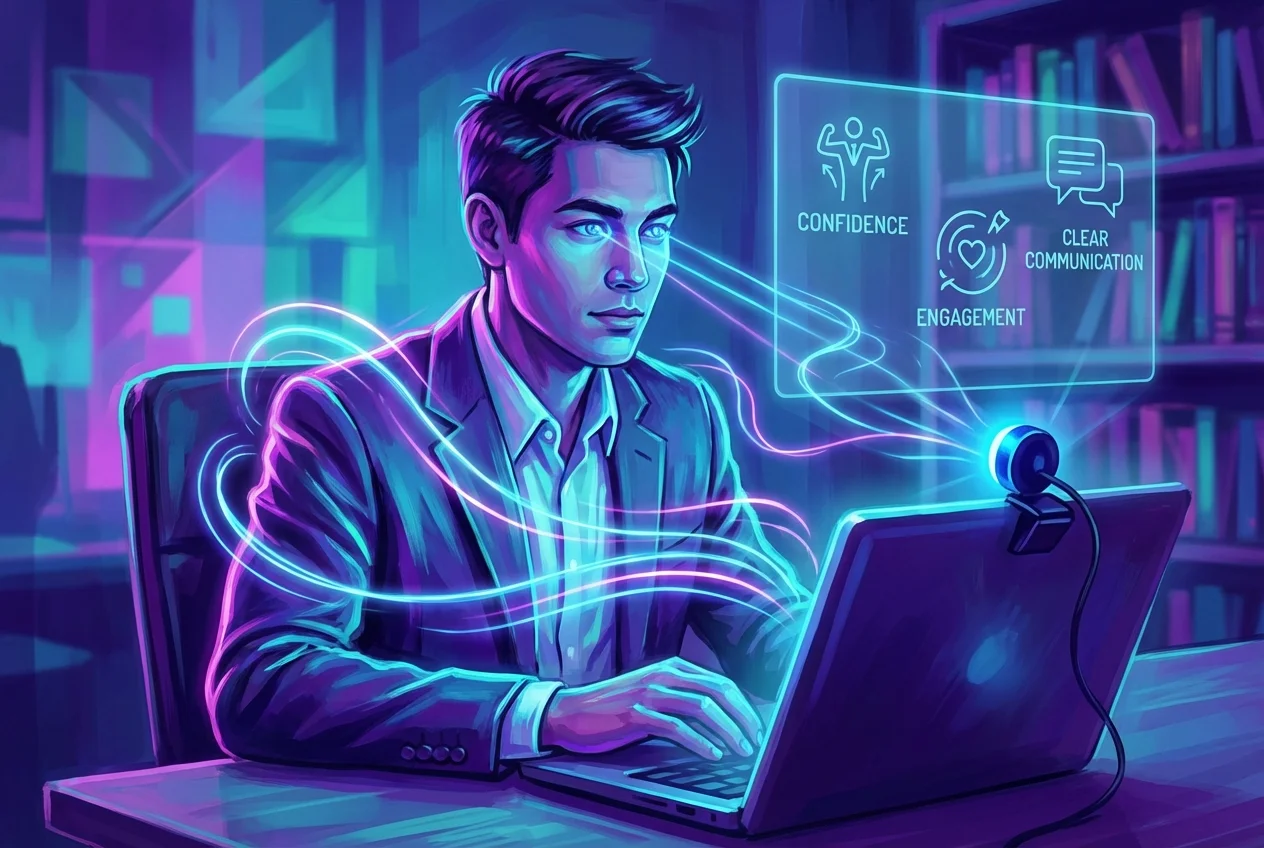
While the setting is virtual, your personal presentation remains paramount. How you look, how you move, and how you speak all contribute to the professional image you project. This section of your interview checklist focuses on you.
1. Professional Attire: Dress for Success, Virtually
The "business on top, pajamas on bottom" stereotype is a dangerous gamble. Dress as if you were attending an in-person interview.
- Full Professional Attire: Wear a complete professional outfit, from head to toe. This includes appropriate trousers or a skirt, even if they won't be visible on camera. Dressing fully helps you get into a professional mindset.
- Comfort and Confidence: Choose an outfit that is clean, pressed, and comfortable. Avoid anything too tight, itchy, or distracting.
- Color Choices: Opt for solid, neutral colors (navy, gray, black, white, cream). Avoid busy patterns, stripes, or overly bright colors that can be distracting or appear distorted on camera.
- Hair and Makeup: Ensure your hair is neat and tidy. If you wear makeup, keep it natural and professional.
- Accessories: Keep jewelry minimal and non-distracting.
- Test Your Look: Do a quick camera check with your chosen outfit to ensure it looks good on screen.
2. Body Language & Eye Contact: Engaging Through the Lens
Virtual interviews demand a conscious effort to project confident and engaged body language.
- Eye Contact with the Camera: This is perhaps the most crucial aspect of virtual body language. Instead of looking at your own image or the interviewer's face on the screen, try to look directly into your webcam when speaking. This simulates direct eye contact and makes you appear more engaged and confident. It might feel unnatural at first, so practice!
- Maintain Good Posture: Sit up straight with your shoulders back. A confident posture not only looks professional but also helps you project your voice more clearly and feel more self-assured. Avoid slouching.
- Hand Gestures: Use natural hand gestures sparingly to emphasize points, but keep them within the camera frame and avoid overly dramatic or distracting movements. Rest your hands comfortably on your lap or desk when not gesturing.
- Nodding and Smiling: Show active listening by nodding occasionally and offering genuine smiles. This conveys engagement and positivity.
- Avoid Fidgeting: Be mindful of fidgeting, tapping, or restless movements, which can be distracting and convey nervousness.
- Keep Still: While some movement is natural, avoid rocking your chair or moving excessively, as this can be jarring on camera.
3. Vocal Clarity & Pacing: Your Voice as a Tool
Your voice is a powerful instrument in communication. Ensure it's used effectively.
- Speak Clearly and Deliberately: Enunciate your words. Avoid mumbling or rushing through your answers. Take a moment to compose your thoughts before speaking.
- Maintain a Moderate Pace: Speaking too quickly can make you seem nervous or difficult to follow. Speaking too slowly can make you appear hesitant or unenthusiastic. Aim for a confident, conversational pace.
- Vary Your Tone: Avoid a monotone voice. Vary your pitch and inflection to keep the interviewer engaged and convey enthusiasm.
- Volume Control: Speak loudly enough to be heard clearly, but avoid shouting. Your microphone should pick up your normal speaking voice effectively.
- Silence Fillers: Be aware of filler words like "um," "uh," "like," and "you know." Practice pausing instead of using these fillers.
4. Hydration & Comfort: Staying Sharp and Focused
Small comforts can make a big difference in maintaining your focus and composure throughout the interview.
- Keep Water Nearby: Have a glass or bottle of water within reach. A dry throat can be distracting, and taking a small sip can give you a moment to collect your thoughts.
- Adjust Your Chair: Ensure your chair is comfortable and supports good posture. You'll be sitting for a period, and discomfort can detract from your focus.
- Room Temperature: Make sure your interview space is at a comfortable temperature. Being too hot or too cold can be a significant distraction.
The Mental Game: Sharpening Your Mind for Success
Beyond the technical and environmental aspects, your mental preparation is paramount. This involves strategic research, thoughtful practice, and effective stress management. This segment of your job interview readiness is all about internal preparation.
1. Pre-Interview Research: Knowledge is Power
Thorough research demonstrates your genuine interest and allows you to tailor your answers effectively. This is a critical remote interview prep step.
- Study the Company:
- Mission & Values: Understand the company's core mission, vision, and values. How do they align with your own?
- Recent News & Projects: Look for recent press releases, news articles, major projects, or product launches. Mentioning these shows you've done your homework.
- Culture: Explore their "About Us" page, social media, and employee reviews (e.g., Glassdoor) to get a sense of their company culture.
- Competitors: Have a basic understanding of their key competitors and their position in the market.
- Study the Role:
- Job Description Deep Dive: Re-read the job description carefully. Identify key responsibilities, required skills, and desired qualifications.
- Connect Your Experience: For each key requirement, think of specific examples from your past experience that demonstrate your capabilities.
- Study the Interviewer on LinkedIn Before the Interview:
- Research Their Background: If you know who will be interviewing you, look them up on LinkedIn. Understand their professional background, current role, and how long they've been with the company.
- Find Common Ground: Look for any shared connections, alma maters, or professional interests that could potentially serve as a point of connection (but don't force it).
- Understand Their Perspective: Knowing their role can help you anticipate the types of questions they might ask and tailor your answers to their perspective. For example, a hiring manager will focus on skills for the role, while a senior leader might focus on strategic fit.
2. Reviewing Your Resume & Application: Know Your Story
Your resume and application materials are the foundation of the interview. Be prepared to discuss every detail.
- Know Your Resume Inside Out: Be able to speak confidently about every experience, accomplishment, and skill listed on your resume. Don't just recite; elaborate with context and impact.
- Revisit Your Cover Letter: Refresh your memory on the specific points you highlighted in your cover letter and how you connected your experience to the company and role. To ensure your application materials are perfectly tailored, consider using tools like CareerBoom.ai, which offers AI-powered resume and cover letter builders designed to align your documents with specific job descriptions, giving you a stronger foundation for discussion.
- Anticipate Questions: Think about potential questions that might arise from gaps in employment, career transitions, or specific projects mentioned.
3. Practicing Common Questions & STAR Method: Sharpen Your Responses
Practice makes perfect. Rehearsing your answers helps you articulate them clearly and confidently.
- Common Interview Questions: Prepare for standard questions like "Tell me about yourself," "Why are you interested in this role/company?", "What are your strengths/weaknesses?", "Where do you see yourself in five years?".
- Behavioral Questions (STAR Method): Many interviewers use behavioral questions ("Tell me about a time when...") to assess past performance. Master the STAR method:
- Situation: Briefly describe the context.
- Task: Explain your responsibility or goal.
- Action: Detail the specific steps you took.
- Result: Quantify the positive outcome of your actions.
- Practice Out Loud: Practice your answers out loud, ideally in front of a mirror or by recording yourself. This helps you refine your wording, pacing, and delivery.
- Mock Interview: If possible, ask a friend or mentor to conduct a mock interview with you and provide constructive feedback. For even more robust preparation, platforms like CareerBoom.ai offer AI-powered interview simulations and personalized feedback, helping you refine your responses and build confidence.
4. Preparing Your Own Questions for the Interviewer: A Two-Way Street
An interview is a two-way street. Asking thoughtful questions demonstrates your engagement, curiosity, and strategic thinking.
- Beyond the Obvious: Avoid questions easily answered by the company website. Aim for questions that reveal deeper insights into the role, team, culture, or future challenges.
- Examples of Good Questions:
- "What do you find most challenging about this role?"
- "How does this team collaborate with other departments?"
- "What are the immediate priorities for someone in this position?"
- "What opportunities are there for professional development and growth within the company?"
- "Could you describe the team culture and how new members are integrated?"
- "What does success look like in this role in the first 3-6 months?"
- Tailor to the Interviewer: If you've researched your interviewer, you might ask a question specific to their experience or department.
- Have Several Ready: Prepare 3-5 questions. The interviewer might answer some of your questions naturally during the conversation, so have backups.
5. Deep Breathing & Mindfulness Techniques: Calming Your Nerves
Nerves are natural, but they shouldn't derail your performance. Incorporate calming techniques into your pre-interview routine.
- Mindful Breathing: Just before the interview, take a few slow, deep breaths. Inhale deeply through your nose, hold for a few seconds, and exhale slowly through your mouth. This activates your parasympathetic nervous system, helping to reduce anxiety.
- Visualization: Close your eyes for a moment and visualize yourself performing confidently and successfully in the interview.
- Grounding Techniques: Focus on your senses. Notice the feeling of your feet on the floor, the sounds around you, or the texture of your clothing. This helps bring you into the present moment.
- Short Meditation: If you practice meditation, a short 5-10 minute session before the interview can significantly reduce stress and improve focus. The editor specifically mentioned "take deep breath before the interview," which is a key instruction.
6. Positive Self-Talk: Boosting Your Confidence
Your internal dialogue significantly impacts your confidence.
- Affirmations: Remind yourself of your strengths, qualifications, and past successes. Use positive affirmations like, "I am prepared," "I am capable," "I will do my best."
- Reframe Nerves: Instead of viewing nervousness as a negative, reframe it as excitement or readiness.
- Focus on Contribution: Shift your focus from "getting the job" to "demonstrating how you can contribute value to the company." This helps alleviate pressure.
The Day-Of Logistics: Final Touches for a Flawless Execution
The final hours leading up to your interview are for last-minute checks and mental preparation. This is the culmination of your remote interview prep and job interview readiness.
1. Time Management: Be Early, Not Just On Time
Punctuality is even more critical in a virtual setting, as technical issues can cause delays.
- Set Alarms: Set multiple alarms to ensure you wake up on time and allocate enough time for your morning routine.
- Log In Early: Aim to log into the meeting link 5-10 minutes before the scheduled start time. This gives you a buffer to resolve any last-minute technical glitches, adjust your camera, or take a final deep breath.
- Buffer Time After: Don't schedule anything immediately after the interview. Interviews can sometimes run over, and you'll want time to decompress and send a follow-up.
2. Having Notes Handy: Your Digital Cheat Sheet (Use Wisely)
One advantage of remote interviews is the ability to have discreet notes.
- Key Talking Points: Prepare a concise list of key points you want to cover, questions to ask, and specific accomplishments you want to highlight.
- Bullet Points, Not Scripts: Use bullet points or keywords, not full sentences or scripts. Reading directly from a script will sound unnatural and disengaged.
- Strategic Placement: Place your notes just below your webcam or to the side of your screen so you can glance at them without breaking eye contact with the camera. Avoid rustling papers or looking down excessively.
- Company & Interviewer Info: Include a brief reminder of the company's mission, recent news, and the interviewer's name and title.
3. Water & Pen/Paper: Essential Tools
Simple items that can make a difference.
- Water: Keep that glass of water close.
- Pen and Paper: Have a pen and a notepad ready to jot down key information, names, follow-up points, or questions the interviewer asks that you want to address later. This also shows you are actively engaged and taking the conversation seriously.
4. Alerting Household Members: Reinforce the Quiet Zone
A final reminder to those you share your space with.
- Last-Minute Check-in: Briefly remind anyone in your home about your interview and the need for quiet.
- Door Closed: Ensure your door is closed and any "do not disturb" signs are visible.
5. Post-Interview Follow-Up Plan: Sealing the Deal
The interview doesn't end when the call disconnects.
- Thank You Note: Plan to send a personalized thank-you email to each interviewer within 24 hours. Reiterate your interest, thank them for their time, and briefly mention something specific discussed during the interview to make it memorable.
- Reflect and Review: Immediately after the interview, take a few minutes to jot down notes about what went well, what could have been better, and any questions you still have. This helps with subsequent interviews and self-improvement.
Conclusion

Mastering the remote job interview is an art that blends technical proficiency with authentic personal presentation. By diligently following this comprehensive interview checklist, you're not just preparing for an interview; you're building a robust strategy for success. Each step, from ensuring your internet connection is stable to taking those crucial deep breaths, contributes to a seamless and confident delivery on your virtual interview day.
Remember, the goal of this pre-interview routine is to eliminate distractions and anxieties, allowing your true abilities and personality to shine through. Your remote interview prep is an investment in your future. Embrace the process, trust your preparation, and approach your virtual interview with the confidence that you've covered every detail. With this job interview readiness guide, you are not just ready; you are poised for success. Go forth and conquer your remote interview!
Frequently Asked Questions
Quick answers to common questions
1
What are the most important technical checks for a remote interview?
Key technical checks include:
- Internet: Run a speed test (aim for 10-20 Mbps download/3-5 Mbps upload), prefer a wired connection, and have a mobile hotspot backup.
- Audio/Video: Test your webcam (position at eye level), use a headset mic, and conduct a practice call.
- Software: Install/update the platform, practice navigation, and close all unnecessary applications.
2
How do I set up my environment for a virtual interview?
To create a professional environment:
- Lighting: Position yourself facing a window or use soft frontal lighting; avoid backlighting.
- Background: Keep it simple, clean, and uncluttered. Avoid busy patterns or distracting personal items.
- Distractions: Alert household members, silence all notifications, and manage pets.
- Ensure your device is plugged in to avoid battery issues.
3
How should I dress for a remote job interview?
Dress in full professional attire (head to toe), as if attending an in-person interview. Choose clean, pressed, and comfortable clothes. Opt for solid, neutral colors (navy, gray, black, white) and keep accessories minimal. Always do a quick camera check with your chosen outfit.
4
What's key for body language and eye contact in a virtual interview?
Crucial aspects include:
- Eye Contact: Look directly into your webcam when speaking to simulate direct eye contact.
- Posture: Sit up straight with confidence.
- Gestures: Use natural hand gestures sparingly, keeping them within the camera frame.
- Engagement: Nod occasionally and offer genuine smiles to show active listening. Avoid fidgeting.
5
How should I prepare mentally for a remote interview?
Mental preparation is vital:
- Research: Thoroughly study the company, the specific role, and your interviewer (via LinkedIn).
- Review: Know your resume and all application materials inside out.
- Practice: Rehearse common interview questions and master the STAR method for behavioral questions. Practice your answers out loud.
6
What internet speed is recommended for a smooth remote interview?
For a smooth video conferencing experience, aim for at least 10-20 Mbps download and 3-5 Mbps upload. A wired Ethernet connection is highly recommended for stability over Wi-Fi. Always run a speed test before your interview and minimize other bandwidth-heavy activities.
7
Should I use a virtual background for a remote interview?
Use virtual backgrounds with caution. If you choose one, select a professional, static image (e.g., a blurred office) and test it extensively to ensure it doesn't glitch or distort you. Often, a real, tidy, and uncluttered physical background is preferred as it appears more authentic and reliable.
Was this article helpful?
Table of Contents
The Technical Foundation: Ensuring Seamless Connectivity and Setup
Crafting Your Professional Environment: Beyond the Screen
Mastering Your Presentation: Appearance & Demeanor
The Mental Game: Sharpening Your Mind for Success
The Day-Of Logistics: Final Touches for a Flawless Execution
Conclusion
1What are the most important technical checks for a remote interview?
2How do I set up my environment for a virtual interview?
3How should I dress for a remote job interview?
4What's key for body language and eye contact in a virtual interview?
5How should I prepare mentally for a remote interview?
6What internet speed is recommended for a smooth remote interview?
7Should I use a virtual background for a remote interview?
Share this article
Other articles
Top 30 Common Job Interview Questions and Best Answers
Master your next interview with this comprehensive guide to the most common questions and how to answer them effectively.
7 Body Language Mistakes That SCREAM "Don't Hire Me" (And How to Fix Them Instantly)
Discover the subtle non-verbal cues that are sabotaging your job interviews and how to project confidence and professionalism effortlessly.
20 Smart Questions to Ask at the End of an Interview in 2026
Turn the tables and impress hiring managers with strategic questions that demonstrate your value and close strong.